In previous posts about LinkedIn, I’ve written that hosting a LinkedIn Group is by far the best way to build a community, connect with potential new clients and drive more traffic back to your blog. And there’s one more thing (at least).
LinkedIn Groups can be a great source of new subscribers for your blog or email list. But, most Group owners/managers miss this one key place to encourage new subscribers…
[NOTE: this is an evergreen tactic. I checked the steps in March 2015 and they are still correct. ~ Denise]
The last time you joined a LinkedIn group, what happened? Most likely you received a generic welcome email.
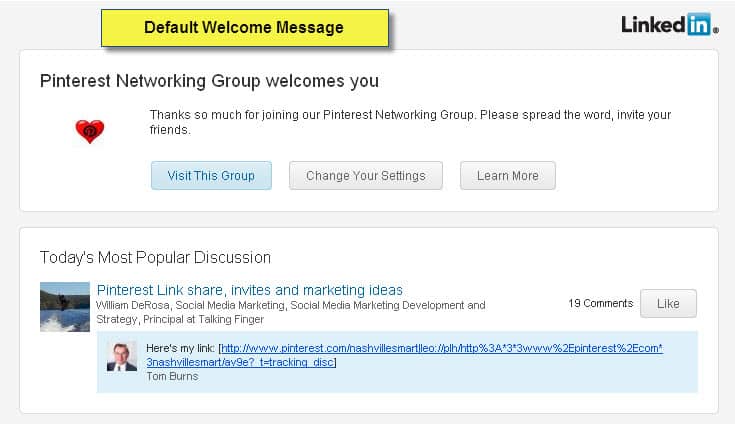
While this looks nice, it doesn’t provide much information and there’s nothing personal about it. I don’t even know who the Group owner is. And, it’s a missed opportunity.
I believe most group owners don’t realize they can customize the default welcome message. This is where you want to warmly welcome your new member and invite them to visit your blog AND get a free report, videos, white paper, your newsletter, etc., by joining your list. About 25% of the members who join my Online Visibility Boost group, click through the link on the welcome message they receive and get my free Visibility Boost Tips.
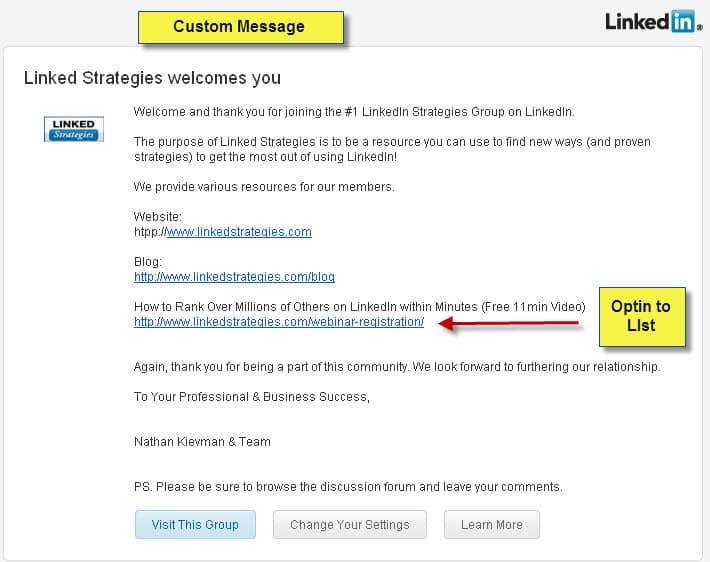
Isn’t that message from the Linked Strategies group warmer and more welcoming?
How do you customize the Welcome Message?

1. Click on the Manage Tab at the top of your Group page.
2. Click on Templates in the left sidebar
3. Click on Create/Edit Template next to Welcome Message.
If you have a private group and manually accept members vs. letting people join automatically, you can also create custom messages for people who request to join your group, people you decline, and block.
Pretty simple, right? Here’s the custom message I send to those who join my group:
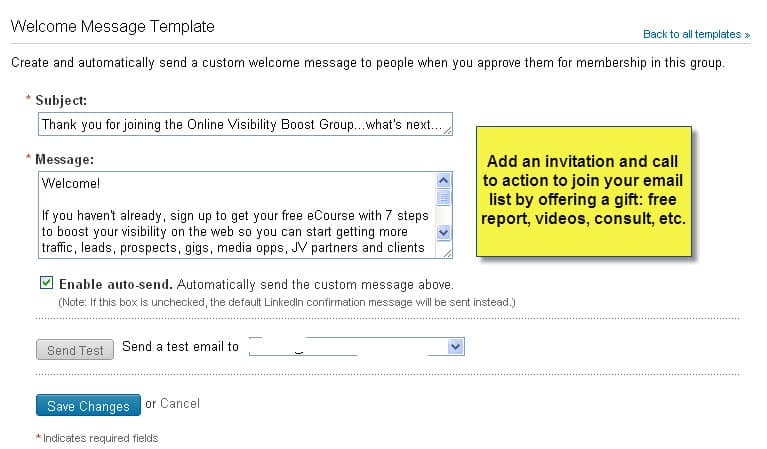
Remember: always add a call to action in your welcome message. If you don’t ask, you don’t get. 🙂
Now, to give credit where credit is due, I learned this tip from Lewis Howes when I studied his program Linked Influence. Seems so obvious, right? Yet since I’ve been actively joining and particpating in LinkedIn groups, I’ve only received a couple of custom welcome messages that included links and a call to action. You can take the lead in your niche, stand out from your competitors and build your list if you implement this one tactic today.
Click to Tweet this Tip> Build your list by customizing your LinkedIn Group welcome message.
If you own/manage a LinkedIn Group, do you customize your welcome message? What information do you include?

Denise:
Terrific advice–I really hadn’t realized that LI had this feature for our group and our message, although custom, was a bit stale and not in sync with updates to our website or marketing messages, so this gave me a chance to make those changes! (I also added a link to our mailing list signup for our monthly events and newsletters).
I noticed that some welcome letters include the organization’s logo or some kind of graphic (as in your example above) Is there a “trick” to this or am I missing some setting somewhere?
Thanks
Lawrence
@aiconsut
@TheWizardGuy
Hey Denise,
This is great. Especially since I am really trying hard to build my list. One question though, do you suggest letting them join without requesting?
Hi Karen, it depends on the purpose of the group. My LinkedIn group is open so anyone can join and I don’t want to have to approve everyone. However, I do have some restrictions set up for some moderation which you can do in the group settings. If someone is brand new to LinkedIn or has only a few connections, I moderate their comments for 3 days. This is because there are some spammers out there and I want to make sure I run a relatively spam-free group.
Denise,
I have been using LinkedIn for 5 years and run four groups. I did not know that this feature existed. Thanks for bringing it to my attention. I am glad Amy Porterfield’s tweet directed me to your blog.
Regards,
Ben Matthews
http://bit.ly/linktoben
Denise,
Oh My Gosh! This is such a great tip and the way you explain it with the graphics makes it soooo easy! Most people, including myself, just don’t know that much about LinkedIn. When I start my own group, someday, I will keep this tip in mind.
Thank You so much! Have a great Weekend!
— Jupiter Jim
A related tip is to make optimum value/sales use of the weekly updates you can send to group members … it’s like a mini newsletter!
Absolutely, Christine. Thanks for bringing up the weekly email update. It’s a great tool to use especially since it is sent to your group members via email vs. an update that goes only to their LinkedIn inbox.
It’s always my pleasure to share my LinkedIn expertise, Denise … thanks again for a great post!
It’s always my pleasure to share my LinkedIn expertise, Denise … thanks again for a great post!
Excellent tip Denise and an opportunity I can’t believe I missed in LinkedIn! I have already created my new welcome email and took advantage of driving new members to additional sites. Thank you!!
Excellent tip Denise and something I can’t believe I missed in LinkedIn! I have already created my new welcome email and took advantage of driving new members to additional sites. Thank you!!
Another great tip Denise! And there are other areas of Linkedin that provide a default message which business owners and entrepreneurs should take advantage of and personalize them. It has proven to give my connection invitations 100% acceptance. It also has started a conversation which ultimately turns into a business connection and in some cases, a client.
Thanks for this valuable information. I recently blogged about LinkedIn, but this takes it to a higher level. This useful information will be shared with my followers.
Thanks again,
Donna Merrill
thanks for the tips
Great reminder, Denise, I’ll do it now … thanks!
Best,
Christine
Thanks so much for the advice Denise. I’m the guilty one you used as your example (she says sheepishly). I’m hard at work on improving it now …
Hi Julie, didn’t mean to call you out. I’ve been thinking about this post for awhile and when I got your welcome message I saved to use as an example. I should have warned you first. Thanks for being a good sport.
Julie, you are way ahead of the game. Most groups don’t include a Welcome Message at all! Good job. And now, we can make our groups even better thanks to Denise and Lewis. Time to go work on the group!